 Last additions - How-to Last additions - How-to |
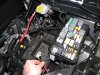
567 viewsTo make life MUCH easier just remove the battery. Also remove the positive power lead (red wire I'm holding) from the fuse box as well as the cover.Mar 10, 2012
|
|
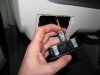
539 viewsNew light switch plugged in. See the red tab? It's in the 'unlocked' position...Mar 10, 2012
|
|
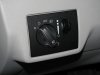
544 viewsNew fog-light equipped light switch. To operate simply push the dial in. Of course, you have to go to the *&$%! dealership to get it 'enabled'! Fogs automatically turn off when high beams are turned on, however, they remain on when using the "flash to pass" feature. Also, the 'system' remembers the position of the fogs so if you leave them on when you turn off the lights, they will automatically come back on when you turn the lights back on, including if you turn off the car.Mar 10, 2012
|
|
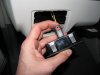
497 views...and now it's in the 'locked' position. I noticed many of the electrical connectors had some sort of lock on them. If you see a red tab/button then that's a connector lock. Mar 10, 2012
|
|
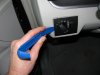
477 viewsHarbor Freight trim tool (nylon kit, non-scratching, less than $6) used to pry the light switch out. Very easy.Mar 10, 2012
|
|
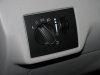
541 viewsStock, non-fog light switch.Mar 10, 2012
|
|
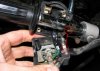
467 viewsWhen attaching the switch housing make sure to line up the housing pin to the hole in the handle bar.Jan 17, 2011
|
|
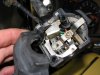
491 viewsThe complete assembly and all lubed up.Jan 17, 2011
|
|
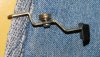
481 viewsIn case you drop the parts, here's how the bits go together. The washer goes on the screw and then the screw goes into the lever and the bushing. The flat side of the bushing faces the thumb pad.Jan 17, 2011
|
|
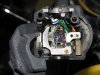
438 viewsThe retaining plate on top of the sliding switch assembly.Jan 17, 2011
|
|
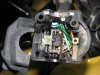
Turn signal switch498 viewsAll apart. Use white lithium on the left part of the switch, where the ball bearing rubs against the left wall. Use dielectric grease everywhere else.Jan 17, 2011
|
|
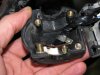
451 viewsHere's the high/low beam switch all buttoned up.Jan 17, 2011
|
|
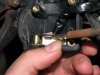
434 viewsWhen putting the female part of the switch onto the male part, make sure the sliding contact doesn't catch on the electrical pads on the female piece. Use a scribe or small, flat screwdriver blade to hold it down as you slide the female part on.Jan 17, 2011
|
|
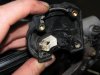
High/low beam switch463 viewsThe male part of the sliding switch for the high/low beam switch.Jan 17, 2011
|
|
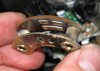
457 viewsThe female part of the sliding switch for the high/low beam switch. The long pad is the common power and the right pad is low beam, the left pad is high beam (as pictured here).Jan 17, 2011
|
|
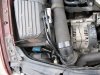
9761 viewsRight [passenger] side ballast/ignitor affixed to airbox top.Dec 05, 2010
|
|
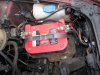
10828 viewsRelay zip-tied to hose clamp on left [driver] side. Ballast/ignitor is under the light housing, on the longitudinal bumper frame(?), sitting on a pad.Dec 05, 2010
|
|
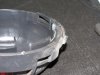
8732 viewsThe end result. Removed material should almost be flush with the rubber sealing ring. It's okay and recommended to have it a bit higher than the sealing ring, say, .5mm to 1mm.Dec 04, 2010
|
|
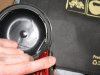
7746 viewsUse sharp blade to cut away the plastic and bevel the lip (remove sharp edges).Dec 04, 2010
|
|
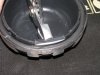
6740 viewsUse pliers to gently pull the section back. Start from one end and work your way to the other end. Dec 04, 2010
|
|
| 334 files on 17 page(s) |
 |
6 | |
|





