 Most viewed - How-to Most viewed - How-to |
490 views
|
|

DRL LED stealing the spotlight from the turn signal.490 viewsMy current issue is the super bright DRL LEDs washing out the amber turn signal LEDs as shown in this video. Also on YouTube at http://www.youtube.com/watch?v=00wxGYhHd0k&list=UUhzs41pIUb_YugBfXOWUwvw&index=1&feature=plcp
|
|
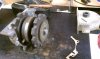
490 viewsTaken apart with the rear case fully removed.
|
|
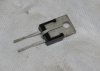
489 viewsHere's the VR. The center pin is a ground and the easiest way to ground it is to CAREFULLY bend it back onto the backside of the VR body. It will then be pressed against the gauge cluster body that is grounded. The pins are delicate and if you bend them too much they will break!
|
|
489 viewsFog harness using a hook on the right side radiator fan surround.
|
|
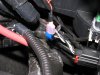
489 viewsShowing how the make connector fits on the tap-in. For the LED wires use RED connectors! I use a professional crimper to give me consistent, quality crimps. Because the LED wire was so small I strip away about 1/2" of the insulation and then fold the wire back on itself, then insert it into the connector. This allows more material (wire) to fill the space and make a more solid connection & crimp. The black 'goo' is dried liquid electrical tape. I also use electrical tape on the connector and wire to help protect the connector from collecting water.
|
|
Day example.488 viewsDay time demo. Also on YouTube.com at http://www.youtube.com/watch?v=Sr75SJdNsJQ&feature=relmfu
|
|
487 views
|
|
485 views
|
|
485 views
|
|
485 viewsSeat the wiring gasket as so...pretty dang obvious. How it should look.
|
|
484 views
|
|
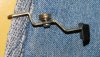
482 viewsIn case you drop the parts, here's how the bits go together. The washer goes on the screw and then the screw goes into the lever and the bushing. The flat side of the bushing faces the thumb pad.
|
|
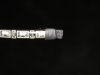
LED dual-element array (alternating white and amber LEDs).482 viewsCut the other end to the desired length or to simply remove the other wires. Use some heat-shrink at the end to seal it from the elements. I left a little over-hang and then bent the heat-shrink back on itself, then gently clamped with some needle-nose pliers.
|
|
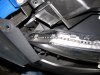
482 viewsShowing the path of the LED array as it goes down on the front part of the head light. That blue thing is simply a nylon auto trim tool I had laying nearby that I used to hold the fascia away from the head light so I could work with both hands. Now just apply power from the turn signal tap!
|
|
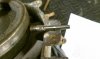
481 viewsPlanetary gear in position and pin marked where it needs to be cut.
|
|
479 views
|
|
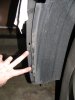
479 viewsRemove the two screws that attach the wheel well splash guard to the front bumper skin (left side shown).
|
|
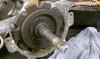
479 viewsRearward gear with original grease. The "B" means back lift box.
|
|
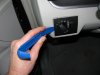
478 viewsHarbor Freight trim tool (nylon kit, non-scratching, less than $6) used to pry the light switch out. Very easy.
|
|
| 334 files on 17 page(s) |
 |
11 | |
|





