 Most viewed - How-to Most viewed - How-to |
475 views
|
|

474 viewsThis shows just how much the head lamps are angled on top. The left side has the LED array far back (towards the engine) whereas on the right side I wasn't as accurate and the LED array is about 3mm-5mm more forward (away from the engine). This clearly shows how the lip on the head lamp disburses the light. The left side is what I was originally looking for so I should've been more patient when installing the right side. Experience gained.
|
|
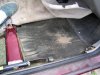
473 viewsFirst layer under right front carpet, foam padding like the rear but bonded to a protective rubber(?) sheet.
|
|
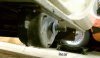
Reference shot472 viewsRear mounted gear box. On left side of trailer looking to the right side.
|
|
470 views
|
|
469 views
|
|
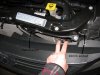
Left side shown. Right is just like the left side.469 viewsAfter removing the bumper skin fasteners remove the 10mm bolt and pin retainer. Do this for both sides (remove all fasteners). This will allow the front fascia and bumper skin to be pulled back enough to get to the head lights. The bumper is still attached to the vehicle by lower fasteners but for this situation it doesn't need to be fully removed.
|
|
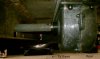
Reference shot469 viewsRear mounted gear box. On left side of trailer looking to the right side.
|
|
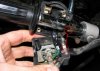
468 viewsWhen attaching the switch housing make sure to line up the housing pin to the hole in the handle bar.
|
|
465 views
|
|
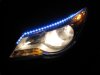
464 viewsLow beams on.
|
|
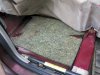
463 viewsRight rear foam padding.
|
|
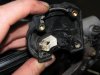
High/low beam switch463 viewsThe male part of the sliding switch for the high/low beam switch.
|
|
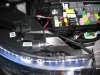
463 viewsJust testing the left DRL LED array directly to the relay box. Used the camera flash to 'dim' the LEDs so they wouldn't wash out the picture. They are so bright that it can be seen that they are on.
|
|
462 views
|
|
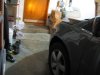
461 viewsNot great but you can see the amber of the LED turn signal as I'm standing by the rear edge of the door, about 1' away.
|
|
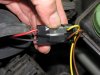
459 viewsThe plug wouldn't lock into the stock connector so I used a supplied zip-tie to bind it and electrical tape to keep it together. Notice that the RED wire mates with the YELLOW (+12 volts) bulb connector wire and the BLACK wire mates with the BROWN (ground) bulb connector wire.
|
|
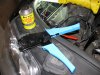
The install458 viewsLiquid electrical tape used to fill in and insulate crimps. High-quality ratcheting crimpers make the difference!
|
|
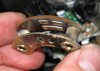
458 viewsThe female part of the sliding switch for the high/low beam switch. The long pad is the common power and the right pad is low beam, the left pad is high beam (as pictured here).
|
|
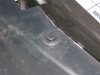
458 viewsPlastic pin used to hold the front fascia. Pry the head up...
|
|
| 334 files on 17 page(s) |
 |
12 | |
|





