 Most viewed - How-to Most viewed - How-to |
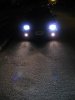
398 viewsAfter - Low beams and fogs.
|
|
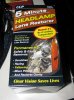
393 viewsThis is it. Comes with pad holder and six polishing pads. It was $9 less than the 3M product and worked great. The headlights were badly pitted but not quite yellowed. I think glass covers would've been a better idea but... I used one pad per headlamp/turn signal (the whole headlight cover) then used another pad that I shared between the headlamps so for my application it was 1.5 pads per headlamp. If your covers aren't as bad then one should be fine.
|
|
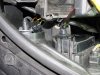
393 viewsThe hard cover in place with the gasket. I can't tell you how many hours I spent trying to get this all to work with such limited space...grrr...
|
|
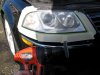
391 viewsPut tape around the headlamp to protect the paint. I initially used a battery-powered drill (pictured) but the battery was low on charge so I switched to my 6-amp drill. Locked the trigger on and started polishing. Very easy to do and I overlapped per the instructions, moving roughly a half-inch, back-n-forth across the headlamp then some lesser work on the turn signal area (it wasn't as badly pitted).
|
|

Before and after - facing vehicle391 viewsBefore - Low beams, facing vehicle.
|
|
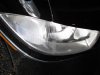
386 views...after.
|
|
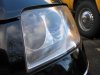
384 viewsTa-da! Big improvement. Neither one looked brand-new but they sure looked a LOT better after I was done. At least now you can see reflections in the plastic cover. You couldn't see them before.
|
|
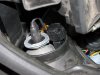
384 viewsClose-up of the connectors tucked away, ready for the rubber boot to cover them.
|
|
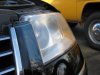
380 viewsLeft headlamp before. Lot's of abuse hitting that plastic!
|
|
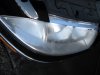
380 viewsBefore...
|
|
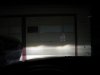
377 viewsBefore - Low beams with fogs.
|
|
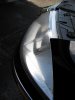
374 viewsBefore...
|
|
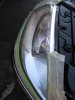
370 views...after first pad...
|
|
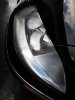
340 views...after second pad.
|
|
|
|
| 334 files on 17 page(s) |
 |
|
17 |
|




