AirCooledNut.com

Home > Zoom-zoom > How-to

Most viewed - How-to
403a.JPG
387 viewsNext, I used a 15/64" (almost 6mm which would work fine) and hand drilled the hole for the grommet (yes, I twisted it with my bare fingers). I wanted to make sure I drilled straight and using a hand-held drill would've caused the hole to be at a slight angle due to the head light housing interfering with the drill chuck.
529.JPG
387 viewsThis shows just how much the head lamps are angled on top. The left side has the LED array far back (towards the engine) whereas on the right side I wasn't as accurate and the LED array is about 3mm-5mm more forward (away from the engine). This clearly shows how the lip on the head lamp disburses the light. The left side is what I was originally looking for so I should've been more patient when installing the right side. Experience gained.
014.JPG
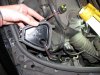
Left side shown. Right is just like the left side.386 viewsAfter removing the bumper skin fasteners remove the 10mm bolt and pin retainer. Do this for both sides (remove all fasteners). This will allow the front fascia and bumper skin to be pulled back enough to get to the head lights. The bumper is still attached to the vehicle by lower fasteners but for this situation it doesn't need to be fully removed.
Bus_heat_002.jpg
385 viewsFlap fully open, allowing some of the heated air to divert into the center of the Bus for the rear passengers.
020.JPG
385 viewsThe ground lug I used on the left side. Use a ring connector for the grounds. This insures the nut will still make a connection even if the nut gets loosened.
IMAG1649.jpg
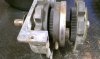
385 viewsLeft to right: Rear of gear box with rearward ring, laying on table is planetary ring, behind that is the forward ring, and behind that is a thin plastic washer.
018.JPG
LED dual-element array (alternating white and amber LEDs).384 viewsCut the other end to the desired length or to simply remove the other wires. Use some heat-shrink at the end to seal it from the elements. I left a little over-hang and then bent the heat-shrink back on itself, then gently clamped with some needle-nose pliers.
Bus_heat_007.jpg
382 viewsHere is the flapper box that sits above the heat exchangers. This is the closed position so all air exits out the "bell" (right-most part of the flapper box) and into the atmosphere. Air is always flowing through the heat exchangers -- it just goes into the interior or vents to the outside.
021.JPG
382 viewsShowing how the make connector fits on the tap-in. For the LED wires use RED connectors! I use a professional crimper to give me consistent, quality crimps. Because the LED wire was so small I strip away about 1/2" of the insulation and then fold the wire back on itself, then insert it into the connector. This allows more material (wire) to fill the space and make a more solid connection & crimp. The black 'goo' is dried liquid electrical tape. I also use electrical tape on the connector and wire to help protect the connector from collecting water.
030.AVI
Day example.382 viewsDay time demo. Also on YouTube.com at http://www.youtube.com/watch?v=Sr75SJdNsJQ&feature=relmfu
IMAG1651.jpg
382 viewsInside of rearward gear and planetary gear mating teeth.
IMAG1682.jpg
382 viewsBearing grease (red) applied on the planetary teeth for mating to the rearward gear. I followed the instructions for the "new" teeth so I hope this is okay for the "old" teeth. I think it should be.
IMAG1679.jpg
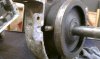
381 viewsPin welded in and ground. The gears are plastic and so after each weld you need to dip the pin into water to cool it down otherwise the plastic holding the pin will melt...as I found out. But the plastic didn't melt too badly and the original pin is still secure.
aero_02.jpg
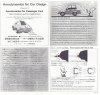
380 views
031.AVI
DRL LED stealing the spotlight from the turn signal.379 viewsMy current issue is the super bright DRL LEDs washing out the amber turn signal LEDs as shown in this video. Also on YouTube at http://www.youtube.com/watch?v=00wxGYhHd0k&list=UUhzs41pIUb_YugBfXOWUwvw&index=1&feature=plcp
tools.jpg
The install378 viewsLiquid electrical tape used to fill in and insulate crimps. High-quality ratcheting crimpers make the difference!
IMAG1680.jpg
378 viewsPlanetary gear in position and pin marked where it needs to be cut.
IMAG1681.jpg
378 viewsRepaired pin cut, ground further, and beveled. Fits in the hole nicely! Remember, the planetary ring will move side-to-side so make sure the pin isn't butted against the end of the hole. Allow for the movement.
002.JPG
376 viewsHarbor Freight trim tool (nylon kit, non-scratching, less than $6) used to pry the light switch out. Very easy.
HID_005.jpg
375 viewsXentec - The kit I used. Also, remove the DRL (Daytime Running Lights) relay, #173. It's located where the fuses are but a little deeper behind the dashboard -- it easily pulls straight out. Yes, you'll have to manually turn on your lights when you drive now. You can drive with the relay intact and the lights will come one (well, ours did), but the HIDs are getting a reduced voltage and may not turn on, they could even turn off while driving due to the reduced voltage feeding them. By removing the relay you insure that they get full voltage when you turn on the headlights.
334 files on 17 page(s) 9